




SC2 Tools
SC2 ToolsOpponent scouting · Build orders · OBS overlay

StarCraft II opponent scouting

Built for ladder players, by ladder players.

Install the desktop app and play like you always do. After every game, SC2 Tools reads your replay and shows you who you just played, the builds they favour, and your record against them — on your PC, your phone, and your stream overlay.

  • Free to use
  • Syncs across devices
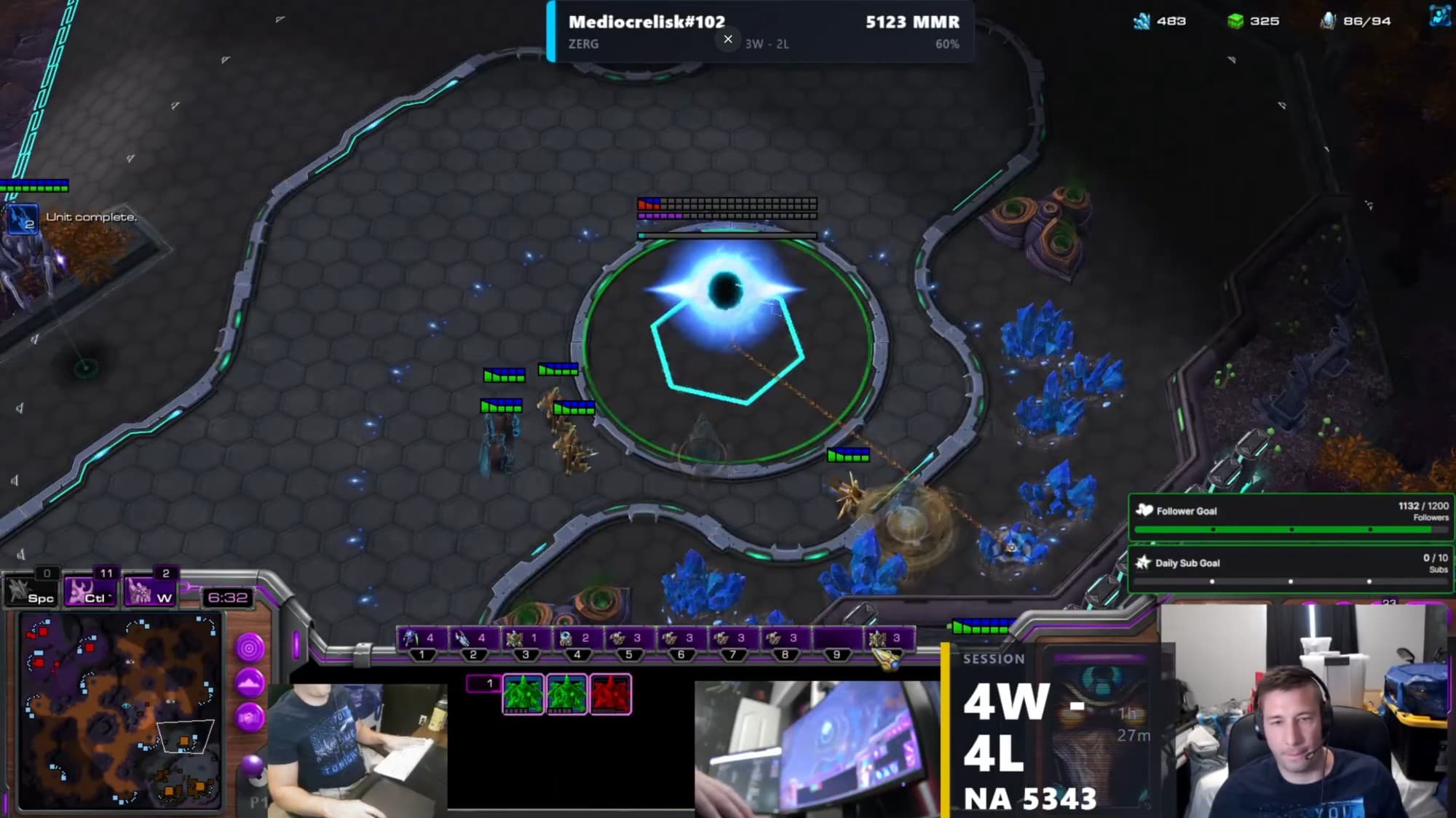
  • Works with OBS
  • GDPR-compliant
  • SC2 Tools

See exactly what you get


One replay in. Your whole game, read back.

Here’s a real ladder game — Protoss vs Zerg on Tourmaline LE — after the desktop app read the replay. Both build orders, both strategies, and the result. None of it was typed in by hand.

Protoss vs ZergTourmaline LE1v1 Ladder
Auto-read from one .SC2Replay

You

Protoss

WIN

Detected opening

Twilight Adept pressure — Glaives into Warp Prism harass

  1. 0:00Nexus
  2. 1:01Gateway
  3. 2:03Nexus (natural)
  4. 2:14Cybernetics Core
  5. 3:36Twilight Council
  6. 5:04Robotics Facility
  7. 5:26Warp Gate (researching)
  8. 5:45First Adept
  9. 6:33Glaives upgrade

Opponent

Zerg

LOSS

Detected opening

Hatch-first three-base into Ling / Baneling

  1. 0:00Hatchery
  2. 1:05Hatchery (natural)
  3. 1:40Spawning Pool
  4. 3:24Hatchery (third)
  5. 3:38Queen
  6. 4:54Ling Speed
  7. 7:09Baneling Nest
  8. 8:32First Baneling
Tech path read
Gateway → Cyber → Twilight → Robo
Key timings
First Adept 5:45 · Glaives 6:33
Next time you meet them
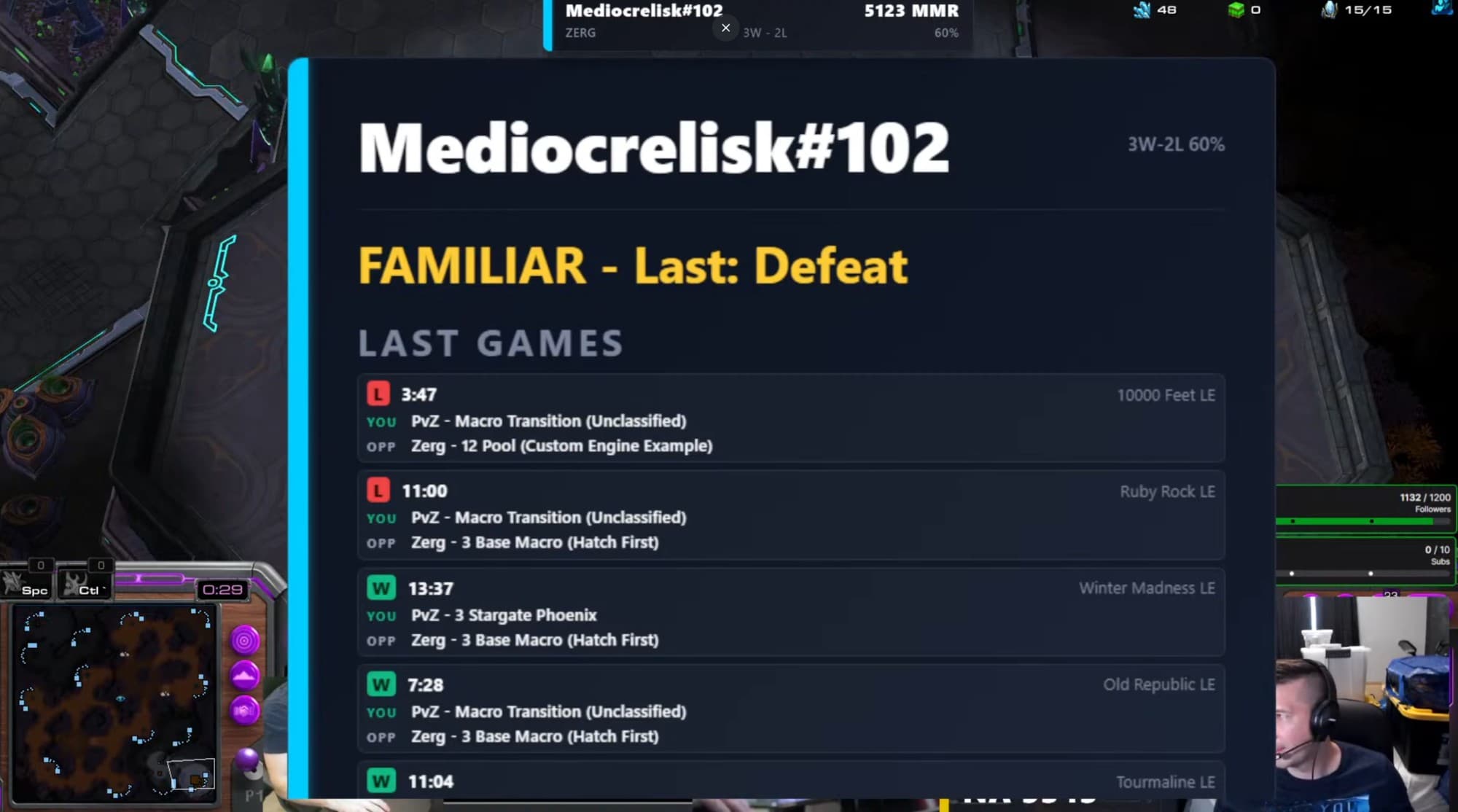
Queue into this opponent again and the overlay shows their past build orders and your win rate against them.

And it stacks up over time


A few games in, the graphs do the talking.

Every game you finish feeds the same stats pages: win rate week by week with a rolling average, your MMR climb, the matchups and maps you’re strongest on, and how your build mix shifts — plus per-build and per-opponent breakdowns.

Custom Builds page in SC2 Tools showing per-build wins, losses, win rate, and trend sparklines
Per-build win rate, W-L and a trend sparkline for every opener you play — split by matchup and by map.
Opponent profile in SC2 Tools showing head-to-head record, build tendencies, and median key timings
Per-opponent dossier — your head-to-head record, the builds they lean on, and their median key timings.

The desktop app does all of this after every game you finish — no tagging, nothing to upload. And the OBS overlay flags a familiar opponent the moment they load in.

What you get


Seven tools, all fed by your replays.

Finish a game and your replay is read automatically. Everything here works off that same data — no tagging, nothing to upload yourself.

  1. Live OBS Overlay

    Paste one link into an OBS Browser Source and your scouting info shows up on stream. 15 widgets, each with its own URL.

  2. Strategy Detection

    SC2 Tools names the opener your opponent is going for — matchup by matchup, across 100+ known builds.

  3. Voice Readout

    An optional voice line before each game that tells you who you're facing and how you've done against them.

  4. Automatic Replay Reading

    Every replay is read and sorted within seconds of the game ending. You never tag a game by hand.

  5. Build Win Rates

    Your win-loss for each build you play, broken down by map and by MMR.

  6. Map Stats & Veto Help

    Win rates and key timings for every map, so you know which ones to veto.

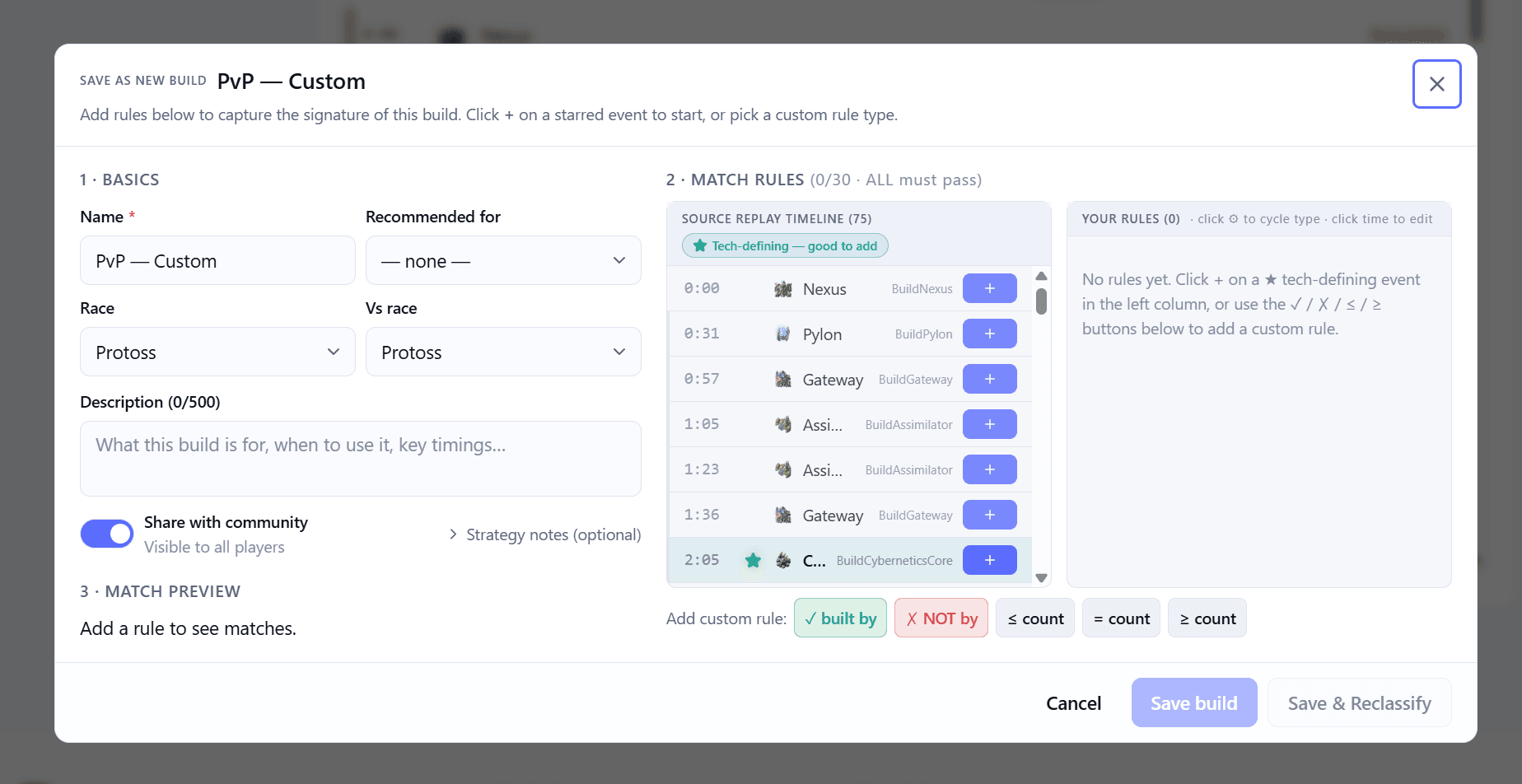
  7. Custom Build Library

    Save your own openers and browse builds shared by other players.

New · Arcade


Mini-games made from your own games.

Thirteen modes — quizzes, daily challenges, weekly bingo — all built from your real ladder games. Earn XP and share your score cards.

  • Buildle

    A daily puzzle built from one of your real games. One hidden detail, one guess to get it right.

  • Closer's Eye

    Guess which of your builds closes out wins the fastest, by average game length.

  • Two Truths & a Lie

    Two real facts about your play and one fake. Spot the lie.

  • Bingo: Ladder Edition

    A 5×5 card of goals. Your games over the next week fill in the squares.

  • Stock Market

    Pick a portfolio of builds. Their win rate that week moves your spot on the leaderboard.

  • +8 more modes

    Streaks, macro memory, rivalries, comebacks and more. Jump into any of them, or play the daily challenge.

Try it on a real replay

Drop a .SC2Replay file — build a custom build from it.

Pick any replay from your StarCraft II folder. We’ll read it right here in your browser and open the build editor with that game loaded — so you can see exactly how saving a custom build works before you sign up.

Skip the demo

Files are parsed once and discarded — nothing about your replay is stored.

Getting started


Three steps, then it runs in the background.

01

Install the app

Download the desktop app and sign in. It takes about a minute.

02

Play normally

Play the ladder like you always do. Each replay is read and synced automatically once the game ends.

03

Review and stream

Your stats update between games. When you stream, paste the overlay link into OBS.

Why it’s free

Free to use — donations keep the servers running.

No paywall and no ads. A handful of cloud bills keep it online — if SC2 Tools is helping your ladder games, a one-time tip helps cover them.

See how to chip in

Ready to start?

Stop loading in blind. Know the matchup first.

Free to start, no card needed. Your replay files stay on your PC — only the parsed stats sync to the cloud.